
App-specific clipboard workflows
Keep reusable material with the work it belongs to.
App Profiles separate deliberate favourites from temporary history, so a reply for Mail does not have to live beside a code snippet, design reference, or project file.
Step 1
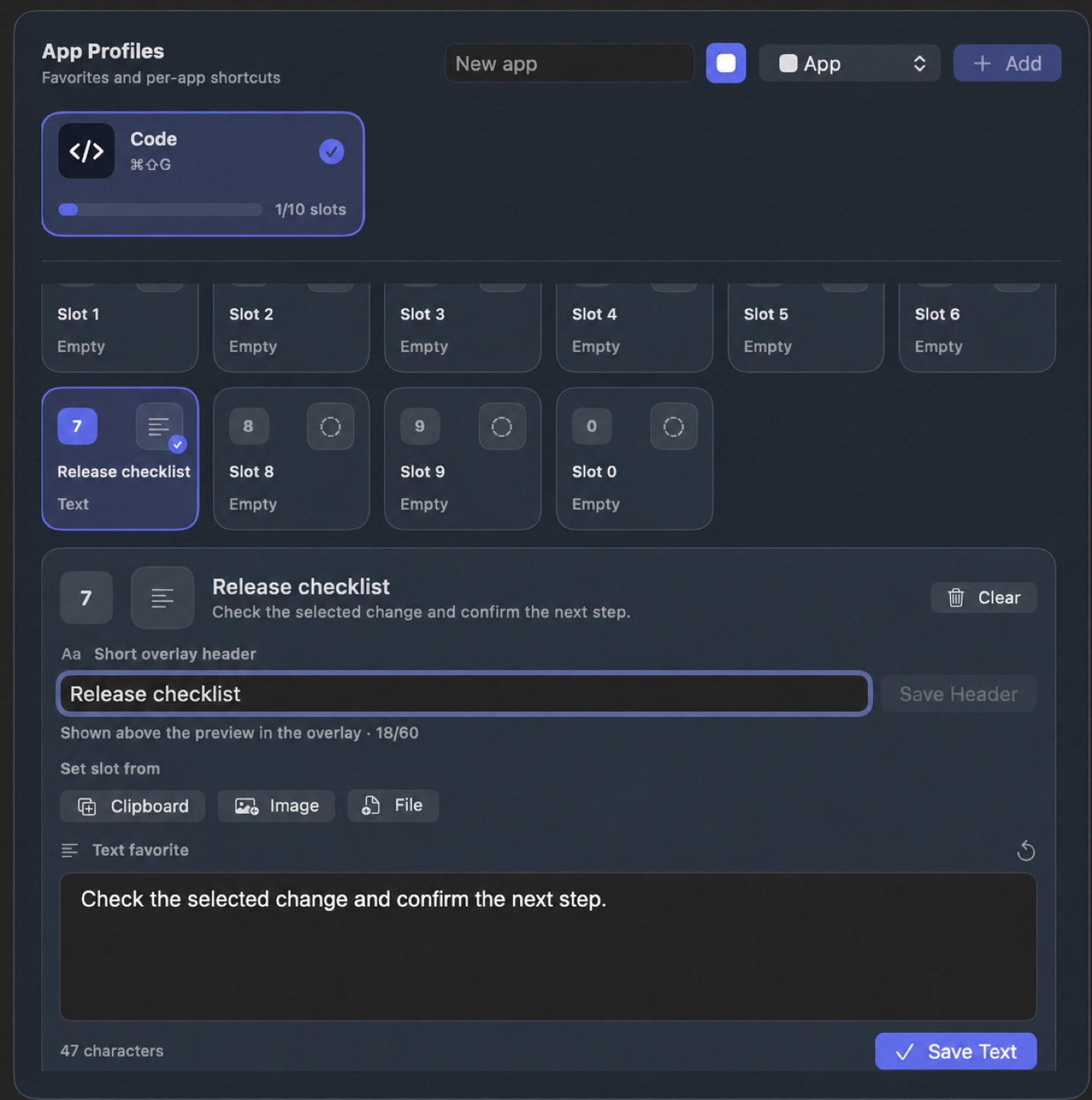
Give one repeatable workflow a clear home
Brendan uses a Code profile for the snippets, links, and handoff context that move between Terminal, an editor, documentation, and AI agents. Start with one profile that solves a real repeated task rather than building a giant library.
Step 2
Choose the profile without leaving the task
Open the keyboard overlay, move to the profile you need, and choose a numbered favourite. The selected material remains visible before you use it and return to the previous app.
Explore the keyboard overlay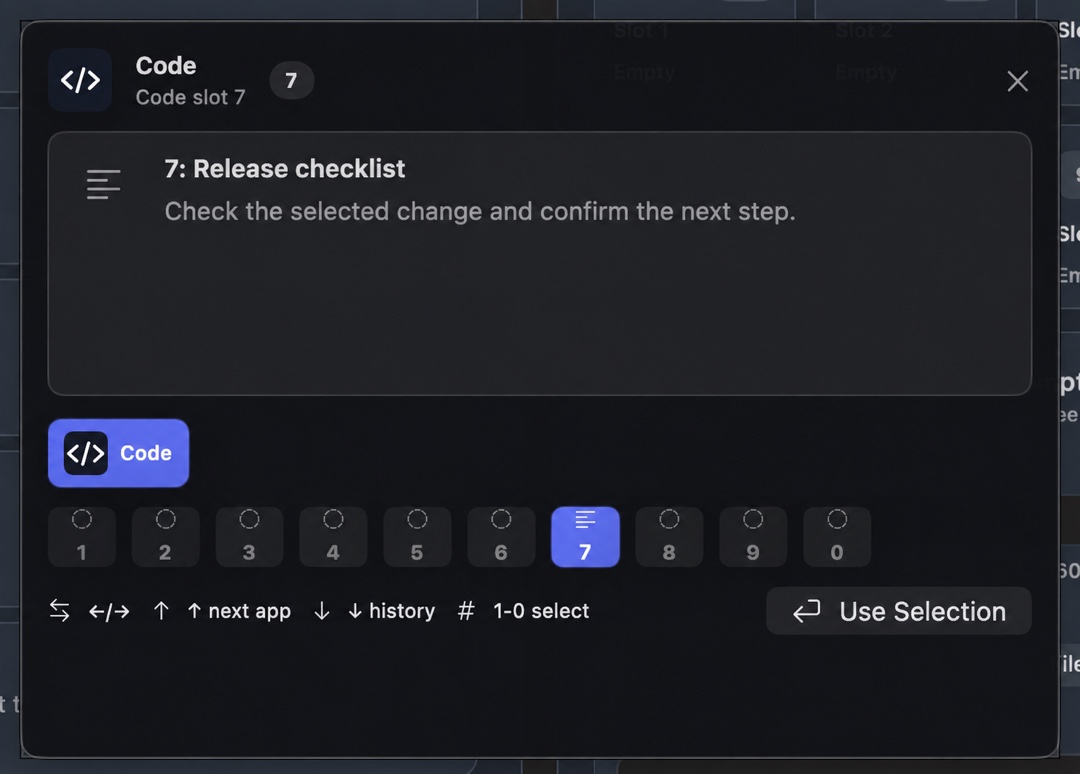
Build the first profile around work you already repeat.
Use recent history for recovery and App Profile favourites for the material you return to on purpose.